Anomaly President Controls & Keybinds
Master day-campaign navigation and night-combat inputs on PC and controller.
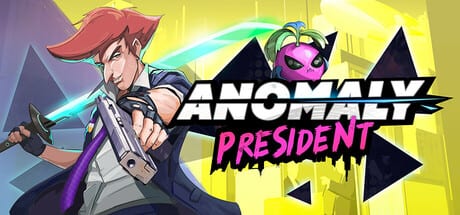
Anomaly President is a side-scrolling presidential roguelike action game built for keyboard, mouse, and full controller support on PC. The game entered Steam Early Access on 3 August 2026 as solo play only on Steam. Your inputs split cleanly between two loops: daytime campaign management on the map and nighttime combat encounters where parries, kicks, and Anomaly Powers decide whether a run continues. This hub collects every controls page on the wiki so you can set up inputs once and stop fighting the defaults.
If you are brand new on desktop, start with Keyboard and Mouse for movement, attack, parry, kick, interact, Anomaly, and Campaign Bus menus. Controller and Steam Deck players should read Gamepad Controls for Verified handheld notes, rebinding, and the demo Hotfix #1 Steam Input fix that stopped double-input. When you are ready to refine timing, read Combat Inputs for parry windows, cancel routes, and kick setups.
Why controls matter in Anomaly President
Early Access reviews and demo impressions often describe night combat as mashy until players learn defensive timing. The game rewards deliberate parries and environmental kicks more than holding attack. Campaign days also ask you to move quickly between nodes, open bus upgrades, and recruit Fluffies before the sun sets. Sluggish or unfamiliar bindings slow both halves of the loop.
Phew Phew Games may adjust defaults during the planned year-plus Early Access roadmap. Treat the pages here as practical references for typical action-game categories, then confirm exact bindings in Settings → Controls after every major patch.
Day loop vs night loop
During the day, you navigate a campaign map, interact with NPCs, spend resources on the Campaign Bus, and position your party before choosing the next route. Inputs here resemble a strategy or roguelike map layer: confirm selections, back out of menus, and scan node details without accidental skips. Mouse cursor speed shines here; gamepad sticks or Steam Deck trackpads work but may feel slower until you practice node highlighting.
At night, the camera locks to side-scrolling combat. Movement is tighter, attack chains are shorter, and parry is your primary skill expression. Kick commands let you launch barrels, crates, and debris into enemies for bonus damage and stagger. Anomaly Powers sit on dedicated inputs so you do not accidentally burn a cooldown while trying to dodge.
Recommended reading order
- Keyboard and Mouse — baseline PC layout and rebinding checklist.
- Gamepad Controls — controller layout, Deck Verified, Steam Input history.
- Combat Inputs — parry-first combat habits and kick setups.
- Guides Hub — how the dual loop fits into a full run.
Pair controls knowledge with Map Hub exploration tips so you spend less time lost during day phases and more time practicing parries at night.
Rebinding and accessibility
Most action inputs can be remapped in the PC options menu. Players with smaller keyboards often move parry closer to movement keys. Controller users typically map parry and kick to bumpers so thumbs stay on sticks during hectic waves.
Steam Deck Verified status at launch means default handheld profiles should work without experimental Proton layers, though you may still lower particle settings for stable parry cadence. See Steam Deck Review for hardware-specific expectations.
Platform input summary
| Platform | Primary wiki page | Notes |
|---|---|---|
| Desktop PC | Keyboard and Mouse | Fastest bus and map UI |
| Xbox / PlayStation pad on PC | Gamepad Controls | Full controller support |
| Steam Deck | Gamepad Controls + Steam Deck Review | Verified at EA start |
Controls FAQ at a glance
Can I reset to defaults? Yes—use the in-game control reset option after experimental rebinding sessions.
Do bindings carry between saves? PC and controller keybinds are stored locally per machine, not per save slot.
Where do I practice parry? Lower-risk night nodes and early campaign routes; details in Combat Inputs.
Does the demo Steam Input fix affect EA? Demo Hotfix #1 disabled Steam Input to stop double-input; if duplicate actions return, check Steam Input settings and read Gamepad Controls.
Frequently Asked Questions
Quick answers to the most common questions.
Does Anomaly President support controller at launch?
Yes. Steam lists full controller support and Steam Deck Verified status at Early Access start. See Gamepad Controls for layout and rebinding.
Why does combat feel mashy at first?
Demo and review feedback often cites button mashing before parry timing clicks. Rebind parry for comfort, then drill defensive windows in Combat Inputs.
Where are bus upgrade controls documented?
Campaign Bus menus use standard confirm, back, and navigate inputs. See Keyboard and Mouse for PC UI and Gamepad Controls for controller navigation.