Anomaly President System Requirements
Can your PC run Anomaly President at Steam Early Access launch specs?
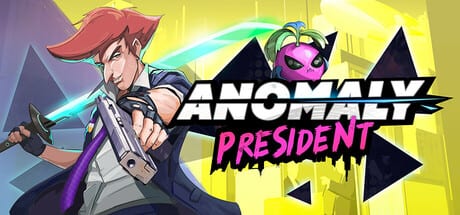
Anomaly President on Steam is a single-player, side-scrolling presidential roguelike action game that alternates lightweight campaign map UI with 2.5D combat arenas. Phew Phew Games lists modest minimum PC requirements appropriate for a stylized indie launch. This page translates the official store specs into practical buying and settings advice for Early Access 3 August 2026 builds—plus headroom notes because anomaly VFX and bus-heavy scenes can stress older cards.
Pair with Early Access Review for overall value and Controls Hub if input lag masquerades as missed parries.
Official minimum requirements (Steam)
| Component | Minimum specification |
|---|---|
| OS | Windows 10 (64-bit) |
| Processor | Intel Core i5-3470 or AMD FX-6300 |
| Memory | 4 GB RAM |
| Graphics | NVIDIA GeForce GTX 660 2 GB or AMD Radeon HD 7870 2 GB |
| DirectX | Version 11 (typical for this spec class) |
| Storage | 1 GB available space |
Always re-check the Steam store page before upgrading hardware; Early Access patches may revise recommended lines even if minimum stays unchanged.
Official recommended requirements
At Early Access launch, the store emphasizes minimum specs publicly. Recommended tiers may arrive later as regions and effects expand during the planned year-plus roadmap. If only minimum is listed, treat recommended as roughly one GPU generation newer and 8 GB RAM for comfortable background apps.
What minimum spec actually feels like
A Core i5-3470 / FX-6300 class CPU with GTX 660 / HD 7870 and 4 GB RAM should boot the game, navigate day map UI, and survive early tutorial nights at reduced settings. Expect:
- Longer initial loads when entering new regions.
- Frame dips when multiple anomaly effects stack in red-zone nights.
- Minimal multitasking room—close browsers before combat tests.
Parry timing in Combat Inputs demands stable frame pacing. If FPS dips below a steady threshold, lower effects before blaming skill.
GPU notes for side-scrolling VFX
Side-scrollers often look lightweight yet spawn particle-heavy bursts on Anomaly activations and elite deaths. GTX 660 and HD 7870 cards are legacy but match the developer’s stated floor. Update drivers; use fullscreen borderless if windowed compositing adds lag on Windows 10.
Integrated graphics not listed in minimum are unsupported officially. Some ultrabooks may run at lowest settings but are not guaranteed for later EA content.
RAM and storage realities
4 GB RAM meets the label but leaves little margin for Discord overlay, capture software, or browser tabs. 8 GB is a practical comfort tier for Early Access streaming and patch downloads.
1 GB storage covers the initial install footprint; save files, shader caches, and future content patches consume additional space. Budget 2–3 GB free on the drive for updates without friction.
CPU-bound vs GPU-bound scenarios
CPU-heavy moments: large day-map UI refreshes, bus menu population, simultaneous Fluffy ability triggers in crowded nights.
GPU-heavy moments: storm anomalies, multi-enemy death combos, screen-wide presidential ultimates.
If stutter appears only at night, reduce particle quality first. If stutter appears on map clicks, check background CPU hogs.
Windows 10 and compatibility
Minimum OS is Windows 10 64-bit. Windows 11 generally runs fine via compatibility layers for Win32 games, but official support follows the store listing. Stay on 64-bit—32-bit Windows is out of scope.
Display, input, and accessibility
1080p at minimum settings is the sensible target for min-spec GPUs. Lower resolutions may help if the options menu exposes render scale.
Keyboard and mouse are the primary input path documented on Keyboard and Mouse. Controller support is not the focus at EA launch; no extra hardware required beyond standard PC peripherals.
Networking and platform
Single-player only—no broadband requirement beyond Steam download and occasional patch fetches. Offline play follows Steam DRM rules for Early Access titles; verify offline mode behavior in your client if you travel often.
Performance tuning checklist
- Update GPU drivers to latest legacy branch if on HD 7870 / GTX 660 class cards.
- Close overlays that inject hooks during combat testing.
- Lower particle, shadow, and post-processing tiers first.
- Cap frame rate slightly below monitor refresh for steadier parry cadence.
- Install on SSD if available—even if minimum only cites 1 GB, load times improve on solid state.
Hardware upgrade guidance
If you are below minimum: upgrade before buying; parry practice on sub-min machines frustrates unfairly.
If you meet minimum: playable with settings tweaks; expect to reduce effects in late EA regions.
If you exceed minimum with modern midrange parts: headroom for future map expansions and higher resolutions without replacing the whole rig.
Price context vs hardware cost
Launch introductory pricing around $11.99 from $14.99 USD makes the software cheap relative to GPU upgrades—do not buy a new card solely for this title unless you already planned an upgrade. See Review Hub for promo timing notes.
Early Access performance expectations
Unfinished regions may ship with debug logging or unoptimized assets briefly. Patch notes on Updates Hub sometimes mention perf fixes—retry problem zones after updates before RMAing hardware.
Community Discord reports help developers prioritize stutter hotspots; include CPU, GPU, RAM, and region name when posting.
Related pages
- Early Access Review — reception and scope.
- Regions Overview — VFX-heavy zones.
- Review Hub — buyer FAQ.
Frequently Asked Questions
Quick answers to the most common questions.
Can Anomaly President run on 4 GB RAM?
Minimum spec lists 4 GB RAM. It may run with closed background apps, but 8 GB is more comfortable for Early Access patches and overlays.
Do I need a SSD?
Not required on the store page, but SSDs improve load times between day map and night arenas.
Will system requirements increase after Early Access updates?
Possible as map regions and effects expand. Re-check Steam recommended specs before major content drops.